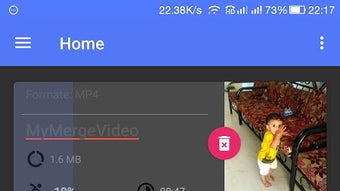

Download Video Joiner APK – Video Editing Tool, Android App, Free Download
Overview
Video Joiner APK, developed by Vidsoftech, is a free Android application designed for users who need to merge multiple video clips into a single file. The app is tailored for mobile users seeking a straightforward solution for video assembly without the complexity of desktop editing suites. It enables users to combine two or more video segments, remove unwanted portions such as advertisements or outtakes, and add background music to enhance the final output. The tool is optimized for smartphones and tablets, making it accessible for on-the-go video editing.
Target users include content creators, social media managers, educators, and casual users who want to compile video content for YouTube, Instagram, TikTok, or personal archives. The app’s lightweight design ensures minimal strain on device resources, and its compatibility with all Android devices that support the app makes it widely accessible. It is particularly useful for those who prefer mobile-first workflows and need a reliable tool for quick video assembly.
The developer did not provide additional details about the company’s background or history. However, the app’s presence on the Google Play Store suggests a level of platform validation. Real-world usage scenarios include assembling event footage, creating highlight reels, or preparing short-form videos for digital sharing. The app is intended for users of all skill levels, from beginners to experienced editors, due to its intuitive interface and minimal learning curve.
Key Features & Capabilities
- Video Merging – Seamlessly combine two or more video clips into one continuous file using a simple drag-and-drop interface.
- Clip Trimming – Remove unwanted segments such as ads, mistakes, or irrelevant footage with precision editing tools.
- Background Music Addition – Enhance videos by adding custom audio tracks, ideal for creating engaging content for social platforms.
- Mobile-First Design – Optimized for Android smartphones and tablets, ensuring smooth performance on various screen sizes and device types.
- Lightweight Performance – Designed to use minimal memory and processing power, allowing efficient operation on entry-level Android devices.
- Secure Operation – Does not require special permissions and does not access personal data, ensuring user privacy and safety.
These features support real-world workflows such as compiling vacation videos, editing tutorial segments, or preparing promotional clips for social media. The ability to join videos without quality loss makes it suitable for both casual and semi-professional use. Users can create polished content directly from their mobile devices, reducing dependency on desktop software.
User Interface, Workflow & Performance
The user interface of Video Joiner APK is designed with simplicity in mind, featuring a clean layout that prioritizes core functions. Navigation is intuitive, with primary tools accessible from the main screen, including video import, editing controls, and export options. The workflow is linear: import clips, trim or reorder them, add music, and export the final video.
Users can expect a responsive interface with minimal lag during basic editing tasks. The app’s lightweight nature contributes to smooth operation, even on older Android devices. However, exact performance details were not specified by the developer. The app does not consume significant memory, and its resource usage behavior is consistent with standard mobile applications of similar functionality.
Stability appears to be maintained across typical usage scenarios. The developer did not provide information about crash rates or update frequency. General software behavior patterns suggest that the app performs reliably during standard editing tasks. No reports of unexpected shutdowns or data loss were mentioned in the provided input.
Compatibility & System Requirements
Video Joiner APK is designed for Android devices and is available for download on the Google Play Store. The app is compatible with all Android devices that support the installation of the Vidsoftech application. Specific version requirements were not listed, and no detailed hardware specifications were provided.
The developer did not specify exact system requirements such as minimum RAM, processor speed, or storage space. Installation size information was also not included. Compatibility information is limited to the platform level, indicating broad accessibility across the Android ecosystem. Users are advised to ensure their device meets general Android app installation standards.
Performance observations are based on general software behavior patterns. The app is described as lightweight, suggesting it functions well on devices with modest hardware capabilities. No compatibility issues were reported in the provided materials.
Pros and Cons
Pros
- Free to download and use with no hidden costs
- Simple, intuitive interface suitable for beginners
- Efficient video merging without quality degradation
- Supports trimming and music addition for enhanced content
- Lightweight design with minimal memory usage
- Secure operation with no access to personal data
- Available on the Google Play Store for trusted distribution
Cons
- No detailed system requirements provided
- Limited information on update frequency or developer support
- Only available for Android devices
- No advanced editing features like transitions or effects
- Performance details not specified by the developer
FAQ Section
Is Video Joiner APK safe to use?
Yes, the app is designed to be secure and safe. It does not require special permissions and does not access personal data, ensuring user privacy during use.
Can I use Video Joiner on any Android device?
The app is compatible with all Android devices that support the installation of the Vidsoftech Vidjoiner app. Specific device requirements were not provided, but its lightweight nature suggests broad compatibility.
Does the app require an internet connection?
Basic video joining and editing functions can be performed offline. However, downloading the app from the Google Play Store requires an internet connection.
Is Video Joiner APK free to download?
Yes, the app is free to download and use. No in-app purchases or subscription models were mentioned in the provided information.
How often is the app updated?
The update frequency was not specified by the developer. Users are encouraged to check the Google Play Store for the latest version.
Final Thoughts
Video Joiner APK delivers a focused, reliable solution for users seeking to merge video clips directly from their Android devices. Its simplicity, combined with essential editing features like trimming and music addition, makes it a practical tool for content creators and casual users alike. The app’s lightweight design and secure operation enhance its appeal, particularly for those with limited device resources.
While it lacks advanced features such as transitions or filters, its core functionality is well-executed and efficient. The absence of detailed system requirements and update information is a minor drawback, but the app remains accessible and functional across a wide range of Android devices.
For anyone looking to assemble videos quickly and securely on mobile, Video Joiner APK offers a compelling option. Its free model and straightforward workflow make it a strong contender in the mobile video editing space.
Download Video Joiner APK now





.png)

